 DataLens
Merge several exports into one sheet
Amazon shows one page of deals at a time. Export on different days, put the files into one workbook, and you can work out discount percentages and price bands across all of them, which Amazon does not do for you.
Open Amazon's Today's Deals page, and DataLens turns the deal cards into a table of product link, deal price, list price, rating and review count that you can download as Excel, CSV or JSON. It runs in your own browser with your own login, with no proxy and no data-center requests. In our 2026-11-03 test it collected 40 rows in about 8 seconds, with no duplicates or empty cells. Search results pages and product detail pages are not verified, so this page does not promise them.
Free · Runs in your own browser
Back to Amazon ScraperAmazon shows one page of deals at a time. Export on different days, put the files into one workbook, and you can work out discount percentages and price bands across all of them, which Amazon does not do for you.
Deal price and list price land in separate columns. After you strip the text prefixes, a simple formula gives the discount percentage for every row, and you can sort or filter on it.
The scrape runs in your own browser, with your own login, with no proxy and no data-center requests.
| Product | Deal price | List price | Rating | Reviews |
|---|---|---|---|---|
| COSLUS C20 Professional Rechargeable Orthodontic | Deal Price: NZD 63.99 | List: NZD 76.46 | 4.4 | (55K) |
| Miracase Compatible Microfiber Shockproof Protection | Deal Price: NZD 35.20 | Typical: NZD 39.11 | 4.4 | (86K) |
| Ninja Capacity Dehydrate Technology AF181 | Deal Price: NZD 177.83 | List: NZD 320.10 | 4.7 | (11.2K) |
| MIULEE Blackout Textured Insulated Darkening | Deal Price: NZD 44.35 | List: NZD 49.32 | 4.6 | (10.7K) |
Sample collected on November 3, 2026 from a real run.
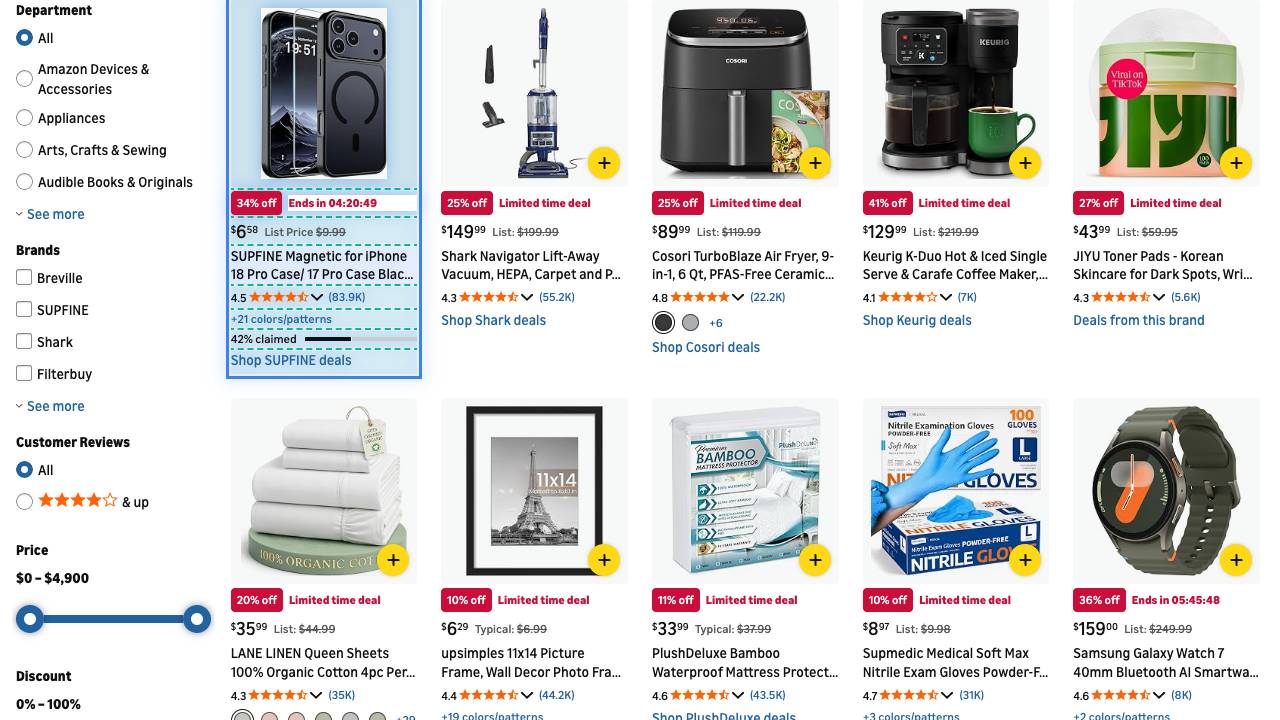
Export the Today's Deals rows, strip the price prefixes, and sort by discount percentage.
Save an export each day and merge them to see which products keep coming back as deals and at what price.
Keep the product link column as a list of deal URLs you can open or share later.
Short answers to what people usually ask before installing.
Not verified. In our walkthrough on 2026-10-13 a search results page was refused by Amazon with an HTTP 503 error, so no rows came back. The tested and working page is Today's Deals. Product detail pages are not verified either.
No. The price columns hold text with a label and a currency code, for example "Deal Price: NZD 63.99". The list-price column mixes "List:" and "Typical:" labels (and a few variants), depending on what Amazon showed on each card. Expect to clean it in Excel.
The currency follows your browser's region. Our test run was in New Zealand, so the prices came out in NZD, not USD. Your export shows whatever Amazon shows you.
They are full Amazon URLs with long tracking parameters (ref=dlx_deals..., pf_rd_r=...). The product name and the code after /dp/ are in the path, so you can trim everything after the "?" in Excel.
No. It exports what is on the page when you run it. To compare prices over time, export again later and compare the files yourself.
The extension is free to install, and one exported row uses 1 credit. Check the pricing page for current credit packs.
Free Chrome & Edge extension. Sign in and start.
You start with 100 free credits, enough to try your first table. Top up only when you need more.